
Building Trust Through Design
Building Trust Through Design
Building Trust Through Design
The Digital Solution For Modern Pet Adoption
The Digital Solution For Modern Pet Adoption
Petbound is a responsive website for clients and shelters to communicate with local shelters and adopt animals with ease.
Petbound is a responsive website for clients and shelters to communicate with local shelters and adopt animals with ease.
Petbound is a responsive website for clients and shelters to communicate with local shelters and adopt animals with ease.
Timeline
Ten Weeks
Services
UX Researcher UI & UX Design Visual Design
Tools
Figma
Adobe Illustrator
Adobe Photoshop
Miro
Date
November 2025
In the United States, about 6-8 million dogs and cats enter animal shelters nationwide every year, and approximately 3-4 million of them are euthanized. This means there’s about a 50% mortality rate for animals who stay in shelters. However, it can be very difficult and tedious to adopt, and a lot of that can come from both bad website/app design and bad communication between client and shelter volunteer.
In the United States, about 6-8 million dogs and cats enter animal shelters nationwide every year, and approximately 3-4 million of them are euthanized. This means there’s about a 50% mortality rate for animals who stay in shelters. However, it can be very difficult and tedious to adopt, and a lot of that can come from both bad website/app design and bad communication between client and shelter volunteer.
In the United States, about 6-8 million dogs and cats enter animal shelters nationwide every year, and approximately 3-4 million of them are euthanized. This means there’s about a 50% mortality rate for animals who stay in shelters. However, it can be very difficult and tedious to adopt, and a lot of that can come from both bad website/app design and bad communication between client and shelter volunteer.


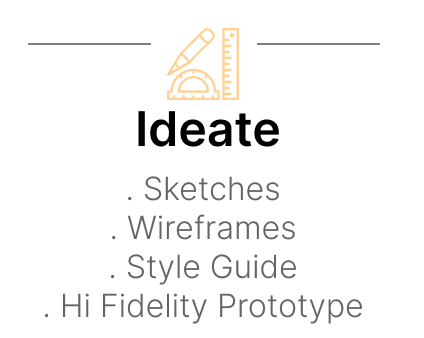


What's the Problem?
What's the Problem?
What's the Problem?
How can we enhance the adopter’s experience through the website so that they feel more connected to their communities?
How can we enhance the adopter’s experience through the website so that they feel more connected to their communities?
How Do We Fix It?
How Do We Fix It?
How Do We Fix It?
Design a pet adoption website with a simple and intuitive flow that enables users to communicate with local shelters and adopt pets with ease. The platform should bridge the gap between the potential adopter and the shelter(s)/organization(s).
Design a pet adoption website with a simple and intuitive flow that enables users to communicate with local shelters and adopt pets with ease. The platform should bridge the gap between the potential adopter and the shelter(s)/organization(s).

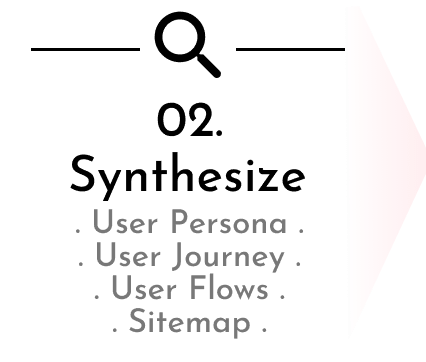


Researching Pet Adoption
Researching Pet Adoption
Researching Pet Adoption
User’s Frustrations and Wants
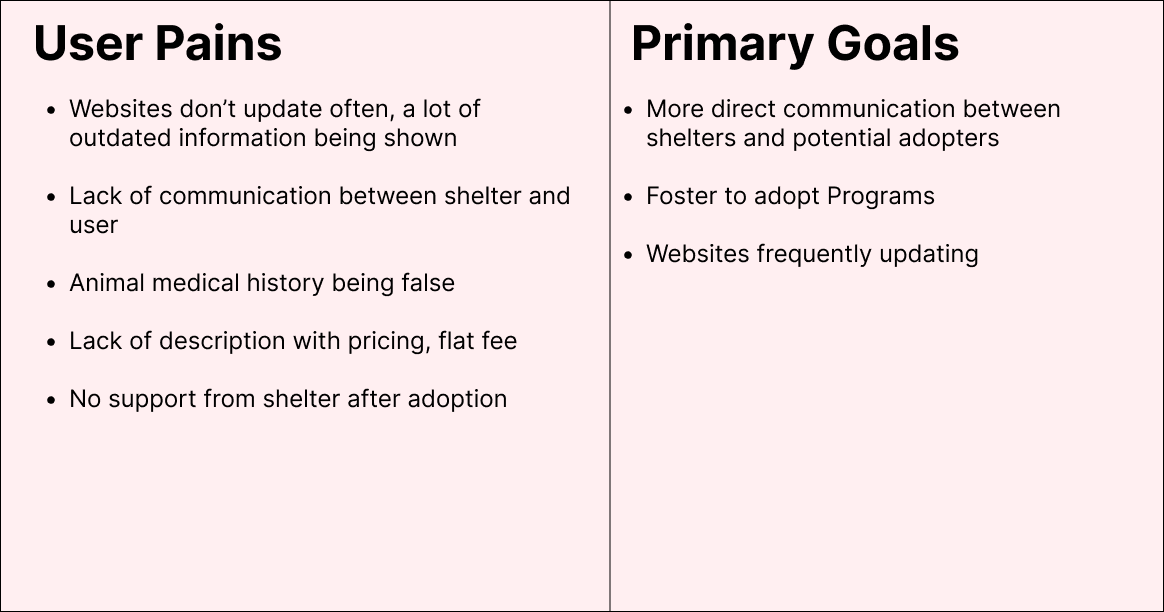
To understand the state of shelter adoption better, I interviewed 11 people, age ranging from 20-33, who have adopted a range of animals: from cats, dogs, to even rabbits. My focus was to develop an understanding of the user’s perspective on adopting their animal, their stressors, and what they would like to see improved to make the adoption process easier.
User’s Frustrations and Wants
To understand the state of shelter adoption better, I interviewed 11 people, age ranging from 20-33, who have adopted a range of animals: from cats, dogs, to even rabbits. My focus was to develop an understanding of the user’s perspective on adopting their animal, their stressors, and what they would like to see improved to make the adoption process easier.
User’s Frustrations and Wants
To understand the state of shelter adoption better, I interviewed 11 people, age ranging from 20-33, who have adopted a range of animals: from cats, dogs, to even rabbits. My focus was to develop an understanding of the user’s perspective on adopting their animal, their stressors, and what they would like to see improved to make the adoption process easier.

What Makes these Competitors work:
Easy to navigate websites.
What they lacked:
The information of the animals provided on these websites are limited or outdated.
Most actions require using external sites and not directly on the platform.
What Makes these Competitors work:
Easy to navigate websites.
What they lacked:
The information of the animals provided on these websites are limited or outdated.
Most actions require using external sites and not directly on the platform.
Reenacting The Adoption Process
Reenacting The Adoption Process
Reenacting The Adoption Process
User Persona
After developing a deeper understanding of the users’ needs and goals through interviews and competitive analysis, I was able to create a user persona based on those insights. Meet Lynn!
User Persona
After developing a deeper understanding of the users’ needs and goals through interviews and competitive analysis, I was able to create a user persona based on those insights. Meet Lynn!
User Persona
After developing a deeper understanding of the users’ needs and goals through interviews and competitive analysis, I was able to create a user persona based on those insights. Meet Lynn!

Lynn’s Journey
Using Lynn, I created a journey map to better illustrate the user journey and illuminate any pain points and opportunities.
Through this process, I was able to create “How Might We” questions:
How might we help users better understand not just the adoption process, but the process for taking care of animals?
How might we motivate users to go back to shelters for more support?
Lynn’s Journey
Using Lynn, I created a journey map to better illustrate the user journey and illuminate any pain points and opportunities.
Through this process, I was able to create “How Might We” questions:
How might we help users better understand not just the adoption process, but the process for taking care of animals?
How might we motivate users to go back to shelters for more support?
Lynn’s Journey
Using Lynn, I created a journey map to better illustrate the user journey and illuminate any pain points and opportunities.
Through this process, I was able to create “How Might We” questions:
How might we help users better understand not just the adoption process, but the process for taking care of animals?
How might we motivate users to go back to shelters for more support?

From Website to Adoption
Starting from the home screen, I created a User Flow Chart that illustrates the various navigation paths a user could to either adopt an animal or to foster/sponsor one.
It was important to me for a user to understand that there was more than one way to get to their goal.
From Website to Adoption
Starting from the home screen, I created a User Flow Chart that illustrates the various navigation paths a user could to either adopt an animal or to foster/sponsor one.
It was important to me for a user to understand that there was more than one way to get to their goal.
From Website to Adoption
Starting from the home screen, I created a User Flow Chart that illustrates the various navigation paths a user could to either adopt an animal or to foster/sponsor one.
It was important to me for a user to understand that there was more than one way to get to their goal.

Site Map
I brainstormed, compiled, and restructured the adoption flow to provide clear navigation and intuitive categorization of pets by species, age, and location. This insured that users could easily filter and sort the available pets.
Site Map
I brainstormed, compiled, and restructured the adoption flow to provide clear navigation and intuitive categorization of pets by species, age, and location. This insured that users could easily filter and sort the available pets.
Site Map
I brainstormed, compiled, and restructured the adoption flow to provide clear navigation and intuitive categorization of pets by species, age, and location. This insured that users could easily filter and sort the available pets.

Translating To Screens
I then created low-fidelity wireframes to understand the basic structure and layout of the app. I wanted to make sure everything would work smoothly before going deep into designing. My primary goal was to make sure the key interactions of the app ensure a smooth and intuitive user experience.
Visualizing Petbound From Ideas To Paper
Visualizing Petbound From Ideas To Paper
Visualizing Petbound From Ideas To Paper
I roughly sketched out ideas for all the desktop and responsive screens. Like the other websites in the competitive analysis, I wanted to create something that was simple for any user of any computer experience to use.
I roughly sketched out ideas for all the desktop and responsive screens. Like the other websites in the competitive analysis, I wanted to create something that was simple for any user of any computer experience to use.


Wireframes
After defining the sketches , I began designing the first set of low-fidelity wireframes.
Wireframes
After defining the sketches , I began designing the first set of low-fidelity wireframes.
Wireframes
After defining the sketches , I began designing the first set of low-fidelity wireframes.

Integrating Sketches into Interactive Prototypes
Integrating Sketches into Interactive Prototypes
Integrating Sketches into Interactive Prototypes
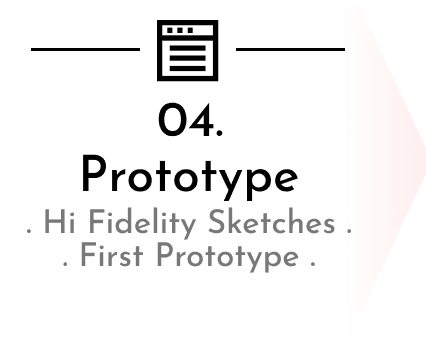
The Creation of the First Prototype
Once the wireframes were created, I turned them into my first high-fidelity prototype. I tested this first prototype on my first group to identify any major issues.
The Creation of the First Prototype
Once the wireframes were created, I turned them into my first high-fidelity prototype. I tested this first prototype on my first group to identify any major issues.
The Creation of the First Prototype
Once the wireframes were created, I turned them into my first high-fidelity prototype. I tested this first prototype on my first group to identify any major issues.

Testing Prototypes With Users and The Results
Testing Prototypes With Users and The Results
Testing Prototypes With Users and The Results
I conducted 5 moderated usability tests with people from ages 19-45 including individuals with varying levels of technical proficiency and experience with pet adoption. The tests had the users navigating through a made up adoption process on Petbound, and were told to talk through their process while navigating.
I conducted 5 moderated usability tests with people from ages 19-45 including individuals with varying levels of technical proficiency and experience with pet adoption. The tests had the users navigating through a made up adoption process on Petbound, and were told to talk through their process while navigating.

I was able to redesign the website with the testers’ issues in mind.
I was able to redesign the website with the testers’ issues in mind.


Final Design Kit
Final Design Kit
Translating to Screens
I then created low-fidelity wireframes to understand the basic structure and layout of the app. I wanted to make sure everything would work smoothly before going deep into designing. My primary goal was to make sure the key interactions of the app ensure a smooth and intuitive user experience
Translating to Screens
I then created low-fidelity wireframes to understand the basic structure and layout of the app. I wanted to make sure everything would work smoothly before going deep into designing. My primary goal was to make sure the key interactions of the app ensure a smooth and intuitive user experience
Delving Into Aesthetics
I wanted to delve into the aesthetic I was going for in my wireframes: bright, inviting colors with a quirky font and hand drawn UI elements to stand out from the competition.
Delving Into Aesthetics
I wanted to delve into the aesthetic I was going for in my wireframes: bright, inviting colors with a quirky font and hand drawn UI elements to stand out from the competition.

Building Trust Through Design
Building Trust Through Design
Building Trust Through Design
Browse through any Animal with Ease
Petbound makes it easy for the user to browse through any kind of pet. If the user creates an account, they can save any pets they are interested in to look at later.
Each pet has a small biography as well as essential information such as their: weight, height, vaccinations, etc.
Under every single pet’s page, there is a link with an adoption guide for any user who is not familiar with adoption and its processes. If adoption is too difficult, there is an option to foster any pet of the user’s choosing.
Browse through any Animal with Ease
Petbound makes it easy for the user to browse through any kind of pet. If the user creates an account, they can save any pets they are interested in to look at later.
Each pet has a small biography as well as essential information such as their: weight, height, vaccinations, etc.
Under every single pet’s page, there is a link with an adoption guide for any user who is not familiar with adoption and its processes. If adoption is too difficult, there is an option to foster any pet of the user’s choosing.
Browse through any Animal with Ease
Petbound makes it easy for the user to browse through any kind of pet. If the user creates an account, they can save any pets they are interested in to look at later.
Each pet has a small biography as well as essential information such as their: weight, height, vaccinations, etc.
Under every single pet’s page, there is a link with an adoption guide for any user who is not familiar with adoption and its processes. If adoption is too difficult, there is an option to foster any pet of the user’s choosing.
Inquiring About an Animal
After logging in, the user is able to start an inquiry about any animal of their choice before adopting them.
Petbound lets the user browse through different animals and inquire to their respective shelter about any information not present in the pet’s bio. Petbound sends a transcript of the inquiry to the email connected to the user’s account.
Browsing for Games/Saving into Your Library
After logging in, the user can browse games located in 16-Bit Arcade and add them to their library to look at later.
The games are separated into genres, and have information of where exactly each game is located: as well as price, languages, a summary, and a trailer.
Inquiring About an Animal
After logging in, the user is able to start an inquiry about any animal of their choice before adopting them.
Petbound lets the user browse through different animals and inquire to their respective shelter about any information not present in the pet’s bio. Petbound sends a transcript of the inquiry to the email connected to the user’s account.
Browsing for Games/Saving into Your Library
After logging in, the user can browse games located in 16-Bit Arcade and add them to their library to look at later. The games are separated into genres, and have information of where exactly each game is located: as well as price, languages, a summary, and a trailer.
Inquiring About an Animal
After logging in, the user is able to start an inquiry about any animal of their choice before adopting them.
Petbound lets the user browse through different animals and inquire to their respective shelter about any information not present in the pet’s bio. Petbound sends a transcript of the inquiry to the email connected to the user’s account.
Browsing for Games/Saving into Your Library
After logging in, the user can browse games located in 16-Bit Arcade and add them to their library to look at later. The games are separated into genres, and have information of where exactly each game is located: as well as price, languages, a summary, and a trailer.
Fostering An Animal
If the user would like to foster an animal instead, there are a few steps to take beforehand. The user will be entered in Petbound’s database of associated shelters/rescues to get alerts of new animals needing a foster home.
However, they need to complete an adoption form to choose what preference of animals they’d like to adopt. The user also needs to answer questions about what their lifestyle is like so as to pick the best animal to suit the user’s needs.
Fostering An Animal
If the user would like to foster an animal instead, there are a few steps to take beforehand. The user will be entered in Petbound’s database of associated shelters/rescues to get alerts of new animals needing a foster home.
However, they need to complete an adoption form to choose what preference of animals they’d like to adopt. The user also needs to answer questions about what their lifestyle is like so as to pick the best animal to suit the user’s needs.
Fostering An Animal
If the user would like to foster an animal instead, there are a few steps to take beforehand. The user will be entered in Petbound’s database of associated shelters/rescues to get alerts of new animals needing a foster home.
However, they need to complete an adoption form to choose what preference of animals they’d like to adopt. The user also needs to answer questions about what their lifestyle is like so as to pick the best animal to suit the user’s needs.
Final Reflections
Figuring Out How to Schedule Adoptions Inside the Website
Right now, the adopt me buttons send the user to the shelter’s adoption forms, but if there’s a way to make it easier to connect to client and shelter by making everything connect to one website so where as the user does not need to leave the website at all.
Understanding That Simple is Better
I was initially using more colors and fonts than I needed before, and my usability testings have taught me that simple has been better in the long run for Pet bound. Less colors, less fonts, etc.
Removing My Own Biases as a Designer
By taking and implementing the feedback from my testings and other peers, I learned how essential maintaining good communication is with my users, especially when it came to removing my own biases as a designer.
Over all, the creation of Petbound has been a great learning experience that kept me creatively driven. I hope to work on more projects like this in the future.
Final Reflections
Figuring Out How to Schedule Adoptions Inside the Website
Right now, the adopt me buttons send the user to the shelter’s adoption forms, but if there’s a way to make it easier to connect to client and shelter by making everything connect to one website so where as the user does not need to leave the website at all.
Understanding That Simple is Better
I was initially using more colors and fonts than I needed before, and my usability testings have taught me that simple has been better in the long run for Pet bound. Less colors, less fonts, etc.
Removing My Own Biases as a Designer
By taking and implementing the feedback from my testings and other peers, I learned how essential maintaining good communication is with my users, especially when it came to removing my own biases as a designer.
Over all, the creation of Petbound has been a great learning experience that kept me creatively driven. I hope to work on more projects like this in the future.
Final Reflections
Figuring Out How to Schedule Adoptions Inside the Website
Right now, the adopt me buttons send the user to the shelter’s adoption forms, but if there’s a way to make it easier to connect to client and shelter by making everything connect to one website so where as the user does not need to leave the website at all.
Understanding That Simple is Better
I was initially using more colors and fonts than I needed before, and my usability testings have taught me that simple has been better in the long run for Pet bound. Less colors, less fonts, etc.
Removing My Own Biases as a Designer
By taking and implementing the feedback from my testings and other peers, I learned how essential maintaining good communication is with my users, especially when it came to removing my own biases as a designer.
Over all, the creation of Petbound has been a great learning experience that kept me creatively driven. I hope to work on more projects like this in the future.
Iteration 1:
Almost all users were confused about what the buttons on the top screen were meant for. They didn’t like how cluttered the screen looked, and they also didn't understand the purpose of pressing the tab in the middle.
Solution:
I made sure to label the tab and clear out any buttons that weren’t needed on the home screen to make the app easier to understand at first glance.

Iteration 2:
At first appearance, users don't recognize the 'save state' screen. Rather, they presumed the screen meant 'adopting' a pet. This caused confusion since they were promised initially to pick an animal at a different time.
Solution:
I made the starting screen clearly indicate that users are picking a save file, not adopting a pet

Iteration 1:
Almost all users were confused about what the buttons on the top screen were meant for. They didn’t like how cluttered the screen looked, and they also didn't understand the purpose of pressing the tab in the middle.
Solution:
I made sure to label the tab and clear out any buttons that weren’t needed on the home screen to make the app easier to understand at first glance.
Iteration 2:
At first appearance, users don't recognize the 'save state' screen. Rather, they presumed the screen meant 'adopting' a pet. This caused confusion since they were promised initially to pick an animal at a different time.
Solution:
I made the starting screen clearly indicate that users are picking a save file, not adopting a pet.

Iteration 3:
Some users were confused about what “taking a break” and “ending work” meant. Many of them assumed they had the same effect and ended up in a loop. This caused enough confusion that they assumed the prototype was glitched.
Solution:
I clarified the wording on both buttons, so users can understand which button did what action.
Feed Yourself and Your Pet
When you eat, you can feed your pet at the same time. Set a timer for the length of your meal. As the timer runs, your pet’s hunger meter will increase. Longer meals result in a fuller pet.
Sweet Dreams
Before going to bed, put your pet to sleep with you. Select the Nap option and choose the number of hours your pet should sleep. Your pet will rest for the selected time.
Time to Play
If you are going out or need time to study, take your pet with you. Choose an activity that fits your schedule, add breaks if needed, and allow your pet to play with a friend while you are busy.
Feed Yourself and Your Pet
When you eat, you can feed your pet at the same time. Set a timer for the length of your meal. As the timer runs, your pet’s hunger meter will increase. Longer meals result in a fuller pet.
Sweet Dreams
Before going to bed, put your pet to sleep with you. Select the Nap option and choose the number of hours your pet should sleep. Your pet will rest for the selected time.
Time to Play
If you are going out or need time to study, take your pet with you. Choose an activity that fits your schedule, add breaks if needed, and allow your pet to play with a friend while you are busy.
Feed Yourself and Your Pet
When you eat, you can feed your pet at the same time. Set a timer for the length of your meal. As the timer runs, your pet’s hunger meter will increase. Longer meals result in a fuller pet.
Sweet Dreams
Before going to bed, put your pet to sleep with you. Select the Nap option and choose the number of hours your pet should sleep. Your pet will rest for the selected time.
Time to Play
If you are going out or need time to study, take your pet with you. Choose an activity that fits your schedule, add breaks if needed, and allow your pet to play with a friend while you are busy.
Iteration 1:
Almost all users were confused about what the buttons on the top screen were used for. They didn’t like how cluttered the screen looked, and they also didn't understand the purpose of pressing the tab in the middle.
Solution:
I made sure to label the tab and clear out any buttons that weren’t needed on the home screen to make the app easier to understand at first glance.
Iteration 2:
At first appearance, users don't recognize the 'save state' screen. Rather, they presumed the screen meant 'adopting' a pet. This caused confusion since they were promised initially to pick an animal at a different time.
Solution:
I made the starting screen clearly indicate that users are picking a save file, not adopting a pet

Iteration 3:
Some users were confused about what “taking a break” and “ending work” meant. Many of them assumed they had the same effect and ended up in a loop. This caused enough confusion that they assumed the prototype was glitched.
Solution:
I clarified the wording on both buttons, so users can understand which button did what action.
Iteration 3:
Some users were confused about what “taking a break” and “ending work” meant. Many of them assumed they had the same effect and ended up in a loop. This caused enough confusion that they assumed the prototype was glitched.
Solution:
I clarified the wording on both buttons, so users can understand which button did what action.